One hotel module, not a patchwork
Replace disconnected PMS spreadsheets and third-party guest apps with reservations, rooms, housekeeping, and stay links on one platform.
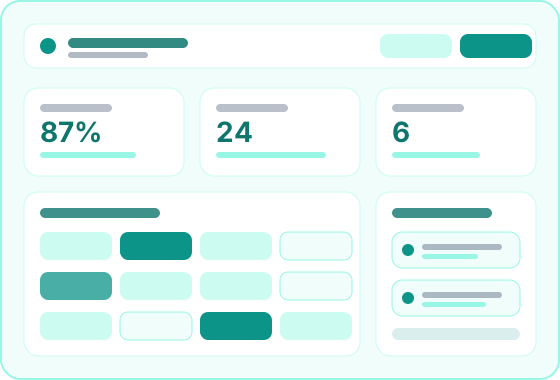
The hotel module set — reservations, rooms, housekeeping, and guest stay delivery on one platform.
1
Hotel module set
API
Guest stay links
Live
Room board data
RBAC
Tenant permissions
Overview
Hotel Operations is the core hotel module in Stay Tantra. It lets you configure room inventory, run reservations and housekeeping, manage folios, and deliver guest stay portal links — all scoped to each property with role-based access.
Staff run day-to-day hotel work through the Hotel Staff Portal — bookings, room board, housekeeping queues, and folio actions. Guests receive secure stay portal links on check-in and submit requests that flow back into hotel operations data. Property managers configure rooms, services, and permissions from the same platform.
Ideal for
Boutique hotels · Resorts · Serviced apartments · Business hotels with front desk teams
Benefits
Replace disconnected PMS spreadsheets and third-party guest apps with reservations, rooms, housekeeping, and stay links on one platform.
Front desk, housekeeping, and guest stay experiences share the same reservation and room data — no manual sync between systems.
Secure in-room portal links are generated and sent on check-in without bolting on external guest-experience software.
Enable hotel operations per property under one client, with role-based access controlling who sees which sites.
Workflow
A clear path from setup to daily use — see how the module fits into your property operations.
Set up room types, individual rooms, property services, and staff roles to match how your hotel is organized.
Create bookings, assign rooms, and maintain live availability across the property room board.
Front desk checks guests in, housekeeping works the queue, and stay portal links go out on arrival.
Monitor arrivals, departures, open requests, and folio balances — then close reservations at checkout.
Capabilities
Reservations, rooms, housekeeping, and guest stay delivery — grouped by what the module powers.
Define how bookings flow from creation through check-in, in-stay services, and checkout.
Booking records with check-in state, extend-stay rules, and guest profile linkage across the stay lifecycle.
Configure room categories, individual rooms, capacity, and pricing structures per property.
Vacant, occupied, dirty, and out-of-order status shared with front desk and housekeeping workflows.
Walk-in and same-day arrival handling tied to live room availability on the board.
Coordinate cleaning requests and in-stay service charges from guest and staff channels.
Guest stay submissions and staff-created tasks in one queue with priority and completion tracking.
On-property services and room dining options that post to the guest folio.
Notifications when guests submit requests or when queue items need attention.
Timestamps and status history so front desk knows when rooms are ready.
Deliver the in-room digital experience and keep folios accurate through checkout.
Token-based portal links sent on check-in via email, SMS, or WhatsApp.
Post room charges, services, and payments to reservation folios with payment recording.
Print, download, or email reservation invoices from the staff portal.
Enable hotel operations per property with centralized client configuration.
Portals
How staff and guests use Hotel Operations through their dedicated portals.
Portal
Where front desk, housekeeping, and managers sign in to run hotel operations daily.
Portal
The in-room digital hub guests open from the link delivered on check-in.
Feature
How property admins configure access to hotel operations.
FAQ
No. Hotel Operations is the platform module — the data, rules, and capabilities. The Hotel Staff Portal is where your team signs in and uses those capabilities daily.
Guest stay link delivery is part of hotel operations. Guests use the separate Guest Stay Portal, which connects to housekeeping and service data in this module.
Yes. Hotel operations is available on hotel-only subscription plans without restaurant floor or kitchen modules.
Yes. Hotel operations can be enabled per property under one client, with role-based access controlling which properties each user sees.