Less front-desk call volume
Guests self-serve for housekeeping, information, and room service from the stay hub.
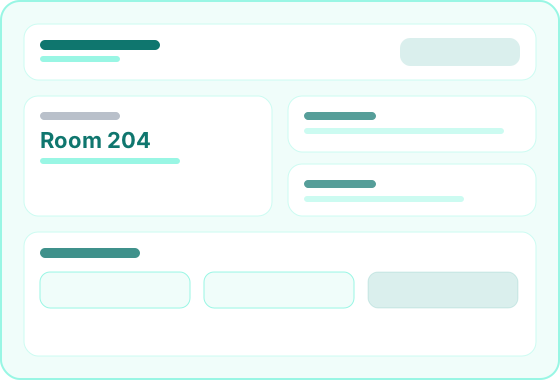
The in-room guest module — secure stay links, requests, and property services.
1
Stay hub per guest
QR
Link delivery
Live
Request alerts
Secure
Token access
Overview
Guest Stay Portal is the platform module that delivers a digital in-room experience after check-in. Guests open a secure link to view stay details, request housekeeping, explore property services, and order room dining — with requests flowing into hotel operations data.
Staff send secure stay links on check-in from the Hotel Staff Portal. Guests open the Guest Stay workspace on their phone — no app required. Housekeeping and service requests alert staff immediately, and room service orders can post to the guest folio when configured.
Ideal for
Hotels · Resorts · Serviced apartments · Extended-stay properties
Benefits
Guests self-serve for housekeeping, information, and room service from the stay hub.
Every guest submission is captured with timestamps — no lost phone messages.
Extend your property identity beyond the lobby with a polished digital concierge.
Stay links and requests connect to reservations, housekeeping, and folio data — no bolt-on guest app.
Workflow
From check-in link delivery to in-stay self-service — the guest stay journey on your platform.
Define property information, services, and delivery channels for stay links.
Front desk triggers secure stay portal links when guests arrive.
Guests request housekeeping, browse info, and order room service from their phone.
Staff receive alerts, complete requests, and post charges to the reservation folio.
Capabilities
Links, stay hub, requests, and services — grouped by guest journey stage.
How guests receive and open their secure in-room portal.
Staff send links from the reservation record on check-in.
Time-bound, reservation-scoped access without guest accounts.
Reach guests on email, SMS, or WhatsApp per property setup.
Property identity on the stay hub welcome experience.
What guests see and use throughout their stay.
Stay dates, room, and guest-relevant details in one view.
Wi-Fi, hours, amenities, and local recommendations.
Optimized for phone browsers — no app download.
Locale-aware content when configured for your property.
Operational actions guests take that flow into hotel data.
Cleaning and amenity requests with staff queue intake.
In-room dining tied to the active reservation folio.
Timestamps and status for front desk and housekeeping visibility.
Notifications when guests submit new requests or orders.
Portals
How staff deliver and guests use the stay experience.
Portal
The in-room digital hub guests open from their check-in link.
Portal
Where staff deliver stay links and respond to guest requests.
Feature
The platform module that powers link delivery and request data.
FAQ
Guest Stay Portal is the platform module. The guest stay workspace is what in-house guests open from the secure link delivered on check-in.
No. Guests open a secure browser link on their phone — no app store download required.
Staff trigger delivery on check-in via email, SMS, or WhatsApp — based on your property's configured channels.
Yes. Guest submissions flow into hotel operations queues with live notifications for assigned staff roles.