Higher throughput at peak
Guests order from their phones while staff focus on hospitality — not repetitive order-taking.
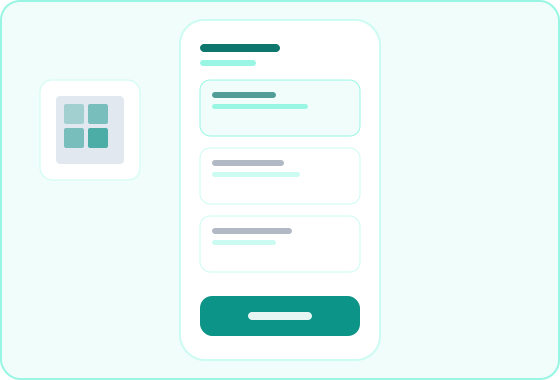
The guest ordering module — scan, browse, order, and pay with no app download.
0
App downloads
QR
Scan to order
Live
Order status
Pay
At-table checkout
Overview
Guest QR Ordering is the platform module that powers table-side digital menus. Guests scan a QR code, browse your live menu, customize items, place orders, and pay from their phone — with every order routed to the correct table and kitchen queue.
Diners open the Guest QR Order Portal from a table QR code — no app install required. Orders flow into Restaurant Operations data and appear on the Restaurant Floor Portal for kitchen and service teams. Managers control menus, QR codes, and payment settings from the same platform.
Ideal for
Restaurants · Hotel dining · Cafés · High-volume service floors
Benefits
Guests order from their phones while staff focus on hospitality — not repetitive order-taking.
Modifiers and notes go directly from guest input to kitchen — no telephone-game miscommunication.
Contactless, visual menus with easy re-ordering increase satisfaction and average order value.
No third-party ordering app — QR sessions connect to your floor and kitchen workflows.
Workflow
From table QR to kitchen ticket — the guest ordering path on your platform.
Configure your digital menu and generate table QR codes from restaurant operations.
Diners scan the table QR and land on a branded, mobile-friendly menu session.
Guests customize items, submit orders, and follow kitchen progress from their phone.
Guests request the bill or complete payment when your gateway is enabled.
Capabilities
Scan, menu, order, track, and pay — grouped by guest journey stage.
How guests start a table-side ordering experience instantly.
Branded welcome screen after scan with property identity.
Orders automatically tied to the correct table and section.
Guests choose language for menu presentation when enabled.
Browser session only — no signup or app install.
Browse, customize, and submit orders from the guest device.
Categories with images, descriptions, and availability state.
Customization options and special instructions per item.
Review selections before sending to kitchen and floor.
Add more items mid-meal without starting over.
Close the loop with visibility and checkout options.
Guests see items progress from submitted to preparing to served.
Signal floor staff when ready to settle without flagging someone down.
Pay from the phone when payment gateway is configured.
Confirm settlement before the session closes.
Portals
How guests and staff interact with QR ordering on Stay Tantra.
Portal
What diners see after scanning the table QR code.
Portal
Where staff receive and manage guest QR orders during service.
Feature
The platform module that supplies menus, tables, and order routing.
FAQ
No. Guest QR ordering works in the mobile browser after scanning the table QR code — no app store download required.
Yes. Guest QR Ordering is the platform module. The Guest QR Order Portal is the guest-facing experience opened from the table QR.
Yes, when your property configures a payment gateway. Guests can also request the bill for staff-assisted settlement.
Yes. Submitted guest orders appear on the Restaurant Floor Portal and kitchen display — the same queue as staff-entered orders.